0
Skip to Content
James Melia Photography
Home
About
Portfolio
Pricing
Blog
Contact
Book Here
James Melia Photography
Home
About
Portfolio
Pricing
Blog
Contact
Book Here
Home
About
Portfolio
Pricing
Blog
Contact
Book Here
Book cover titled "How to Send Your Images" by James Melia with a minimalist design and light gray background.
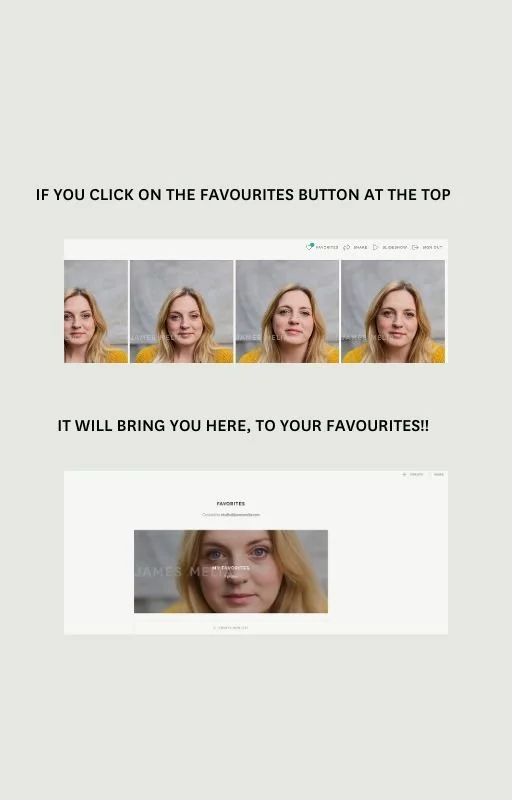
Screenshot of a webpage showing a tutorial on how to use the favorites feature, with a row of four portrait photos of a woman with blonde hair, and a large close-up of the same woman later in the page.
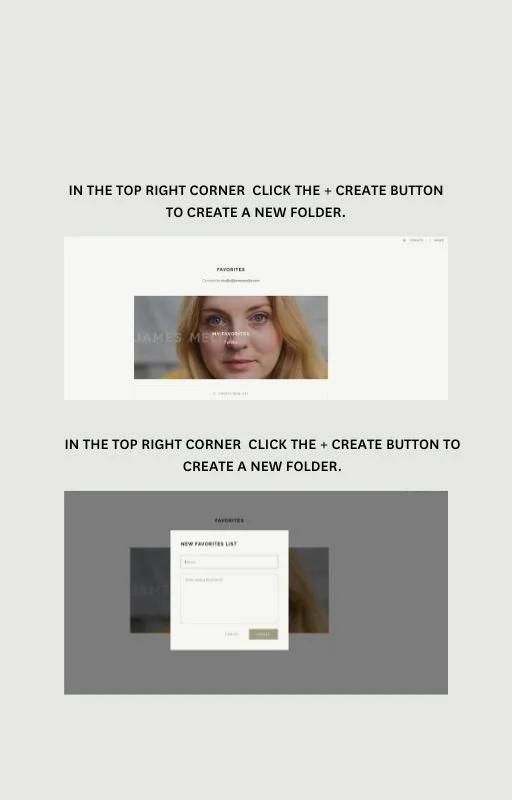
Screenshot of a tutorial or instruction guide on creating a new folder in a digital interface, showing a woman’s face with blonde hair and a text overlay with step-by-step instructions.
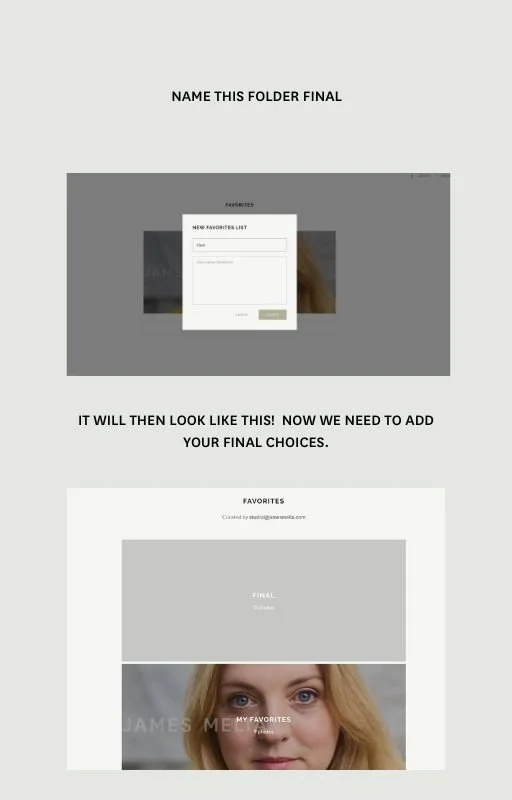
A tutorial or guide on how to name a folder for favorites, showing a screenshot of a digital interface with a 'New Favorites List' window and a final view of a person's face with the label 'My Favorites'.
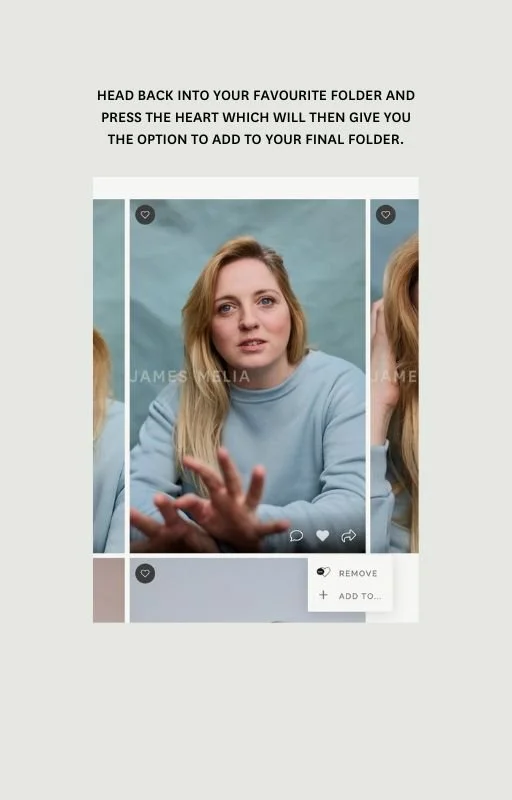
Screenshot of a smartphone photo editing app with a portrait of a woman with blonde hair wearing a light blue top. The app interface shows options to add the photo to a folder by pressing a heart icon, with instructions at the top and a remove and ad
A digital interface showing a photo of a woman in a light blue sweater, with options to add to favorites and create new units. Text instructs to send the photo to a photographer using a button in the top right corner.
A mobile screen displaying a photo sharing app with a message box to send favorites to a photographer named James Melia, with the message "I am done picking my favorites!"
A message on a light gray background from James Melia about sending favorites, with contact info for questions.

home
portfolio
PRICING
journal
contact

Graphite house
Paddock Street
m12 6ht
Manchester
studio@jamesmelia.com